
New account
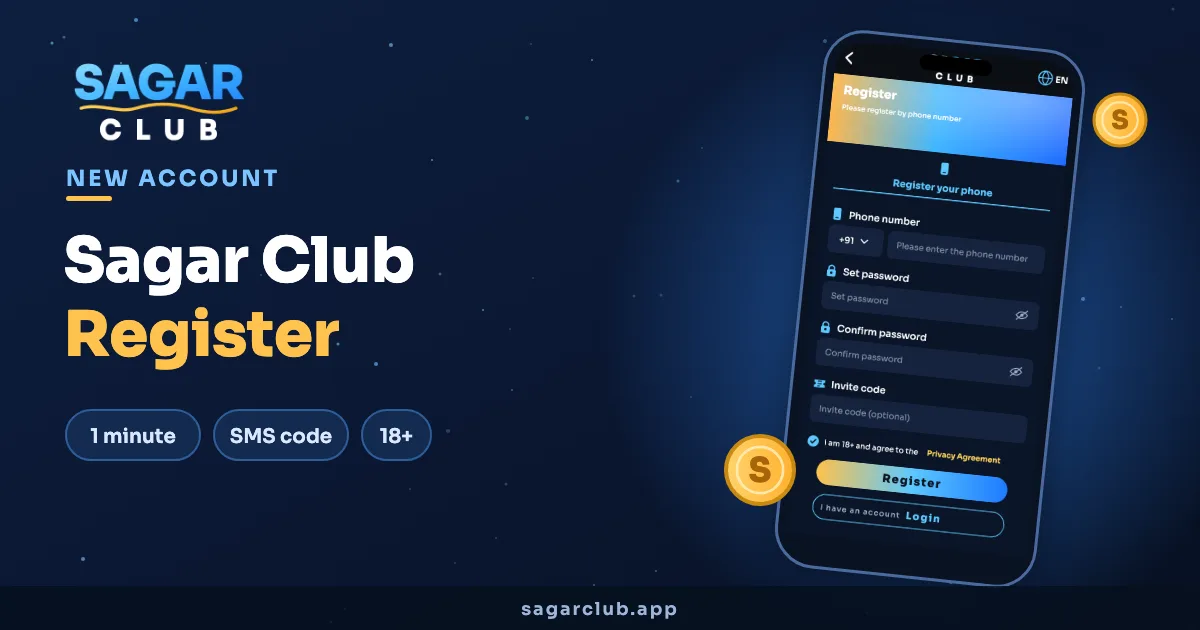
Sagar Club Register
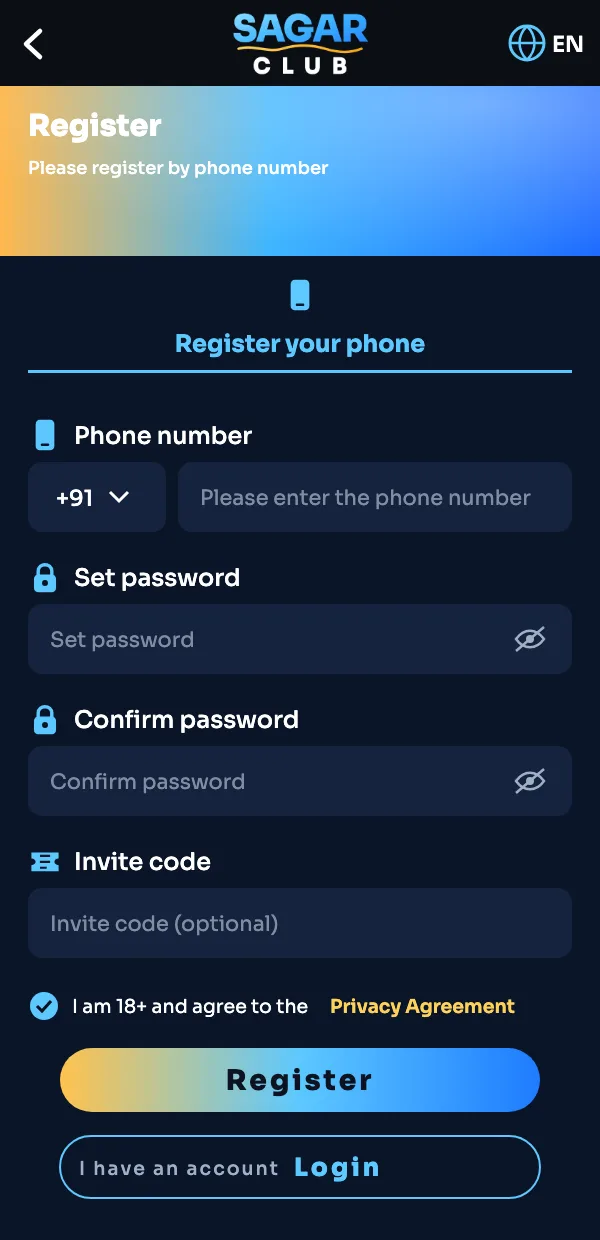
Opening a Sagar Club account takes about a minute and one SMS. Below is every field on the sign-up form, what it’s for, and the small mistakes that send people back to the start.
On this page
Who can register
- You’re 18 or older. The form asks you to confirm it, and that’s a rule, not a formality.
- You have an Indian mobile number that receives SMS.
- You want one account. Multiple accounts on one person get closed.
Sagar Club register, step by step
- Open the Sagar Club app or tap Register on Sagar Club.
- Choose Register your phone.
- Leave +91 selected and enter your 10-digit mobile number.
- Set a password, then type it again in Confirm password.
- Got an invite code from a friend? Paste it in. If not, leave it empty.
- Tick the 18+ and Privacy Agreement box.
- Tap Register, enter the SMS code and you’re in.
Picking a password that holds up
This is the bit most people rush. A good Sagar Club password is long and boring to guess, not clever:
| Example | Verdict |
|---|---|
| sagar123 | Weak — the first thing anyone tries |
| Rahul@1998 | Weak — name plus birth year |
| mango-river-desk-42 | Strong — four random pieces, easy to remember |
Don’t reuse the password from your email or UPI apps. If one site leaks, you don’t want every account to fall with it.
The invite code field
If a friend is already on Sagar Club, they can share an invite code from their Invite & Earn screen. Entering it at sign-up links your accounts, which counts towards their invite rewards. It’s optional — the account works exactly the same without one. You can’t add it after registration, so paste it now if you have it.
Common sign-up problems
| What you see | What to do |
|---|---|
| “Phone number already registered” | You signed up before. Log in or reset the password. |
| SMS code never arrives | Wait 60 seconds, check DND isn’t blocking promo SMS, then resend. |
| “Passwords don’t match” | Retype both fields; watch for an auto-added space at the end. |
| Register button greyed out | The 18+ / Privacy box isn’t ticked yet. |
What happens after registering
You land in the lobby, signed in. Day one of the daily check-in is waiting — collect it. Then have a look at the games list, or read the Sagar Club beginner guide if you’d like a plan for the first week.
Sagar Club is for adults. Please read our responsible gaming page before you start.
Registering on iPhone vs Android
The form is identical on both. The only difference is where you start: on Android you can register inside the downloaded app; on iPhone you register in Safari, then add Sagar Club to your home screen so it opens like an app next time. Either way, your account works on both.
Your first 24 hours after registering
- Collect the Day 1 check-in so the streak starts.
- Add an email in your profile as a backup login.
- Follow the Telegram channel for gift codes.
- Try one game for a few rounds rather than opening everything at once.
Our post on your first 10 minutes on Sagar Club turns this into a quick checklist.
Sagar Club register questions
Does it cost anything to register on Sagar Club?
No. Registration is free.
Can I register without a phone number?
No. The phone number is your login ID and how password resets reach you.
Can I register two accounts?
One person, one account. Duplicate accounts are closed.
I entered the wrong invite code — can I change it?
Not after sign-up. It doesn’t affect your own account in any way.